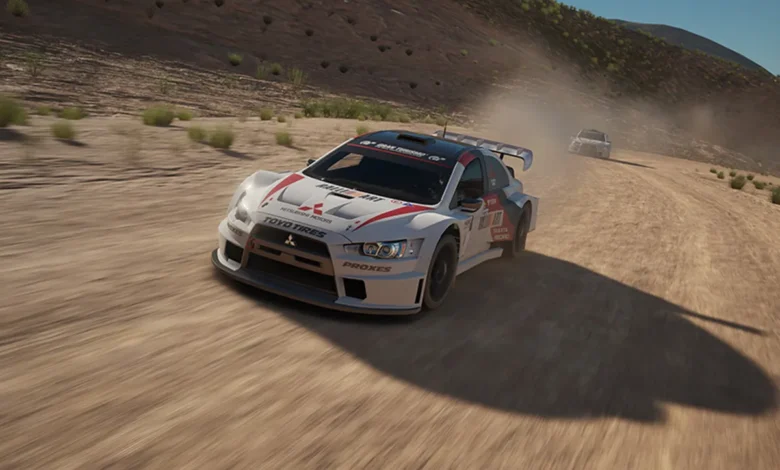
When it comes to racing games, the PS4 has a fantastic lineup offering thrilling experiences, whether you’re a fan of realistic simulators or fast-paced arcade action. Racing games continue to captivate players with their adrenaline-pumping gameplay, intricate tracks, and breathtaking graphics. Whether you’re burning rubber on a closed circuit or drifting through an open-world environment, PS4 racing games provide a diverse range of experiences for every type of player. In this article, we’ll take a deep dive into the top 10 PS4 racing games that you should definitely check out in 2026.
A Thrilling Experience for Every Racer
PlayStation 4 has been home to some of the most exciting and innovative racing titles of the past few years. Racing games have evolved beyond just simple car controls, incorporating sophisticated mechanics, real-world physics, immersive environments, and even open-world exploration. The PS4’s powerful hardware has allowed developers to push the boundaries of what racing games can achieve, offering hyper-realistic experiences, as well as entertaining arcade-style fun.
Whether you’re someone who craves the precision and challenge of sim racing or you prefer the fast-paced thrills of arcade racers, there’s something for everyone. Let’s look at the top PS4 racing games that should be on your radar in 2026.
1. Gran Turismo 7
A list of the best PS4 racing games wouldn’t be complete without Gran Turismo 7. As one of the most realistic driving simulators available, Gran Turismo has set the bar for racing games for decades. The game offers a stunning range of cars and meticulously recreated real-world tracks. For racing purists who seek an immersive, authentic experience, Gran Turismo 7 provides a detailed driving experience with lifelike physics, tire wear, and vehicle handling.
With constant updates and a large community, Gran Turismo 7 remains a staple for any serious racing gamer looking for precision and technical challenge. The game’s attention to detail and high level of realism make it an essential title for PS4 owners in 2026.
2. Need for Speed Heat
For those who prefer high-speed chases and customized cars, Need for Speed Heat is a perfect choice. This installment in the Need for Speed franchise is an open-world racer that combines street racing with an engaging narrative. Players can race during the day in legal, sanctioned events and then take on illegal street races under the cover of night. The game features a variety of cars that can be customized to suit your driving style and personal aesthetic.
With its mix of police pursuits, customizable cars, and thrilling action, Need for Speed Heat offers the perfect escape into the world of illegal street racing. The vibrant streets of Palm City will keep you engaged for hours as you race your way to the top.
3. F1 2020
If Formula 1 racing is your passion, then F1 2020 is the title to play. Offering one of the most realistic simulations of the F1 World Championship, this game lets you step into the shoes of a professional F1 driver and race against some of the best in the world. The physics engine is incredibly detailed, from tire degradation to aerodynamics, and the game’s visuals are jaw-dropping, especially on a PS4 Pro.
With a full career mode, multiplayer modes, and the introduction of team management in F1 2020, the game offers depth and strategy beyond the typical racing sim. Whether you’re racing on iconic circuits like Monaco or Silverstone, or building your own team, F1 2020 is the ultimate racing experience for F1 fans.
4. Wreckfest
For those who love destruction and chaos, Wreckfest delivers an intense, physics-based racing experience. It’s all about demolition derby-style races, where the goal isn’t just to finish first but to survive the madness. Wreckfest combines traditional racing mechanics with destruction-focused gameplay, making it a fun and unique entry in the world of PS4 racing games.
With various vehicle types, including lawnmowers and school buses, the game takes fun to a whole new level. The realistic damage system and exciting multiplayer modes will keep you engaged for hours.
5. Assetto Corsa Competizione
For racing enthusiasts looking for a high level of realism, Assetto Corsa Competizione is the go-to choice. A favorite in the sim racing community, the game offers a detailed simulation of the GT3 racing series, featuring real-world cars and tracks. Whether you’re driving on the slick asphalt of Spa-Francorchamps or the challenging Nürburgring, every race feels incredibly authentic.
The game includes multiple racing series, including Blancpain GT Series, and allows players to experience complex racing strategies, weather conditions, and tire wear. Assetto Corsa Competizione offers a deeply immersive experience, perfect for players seeking realism and challenge.
6. The Crew 2
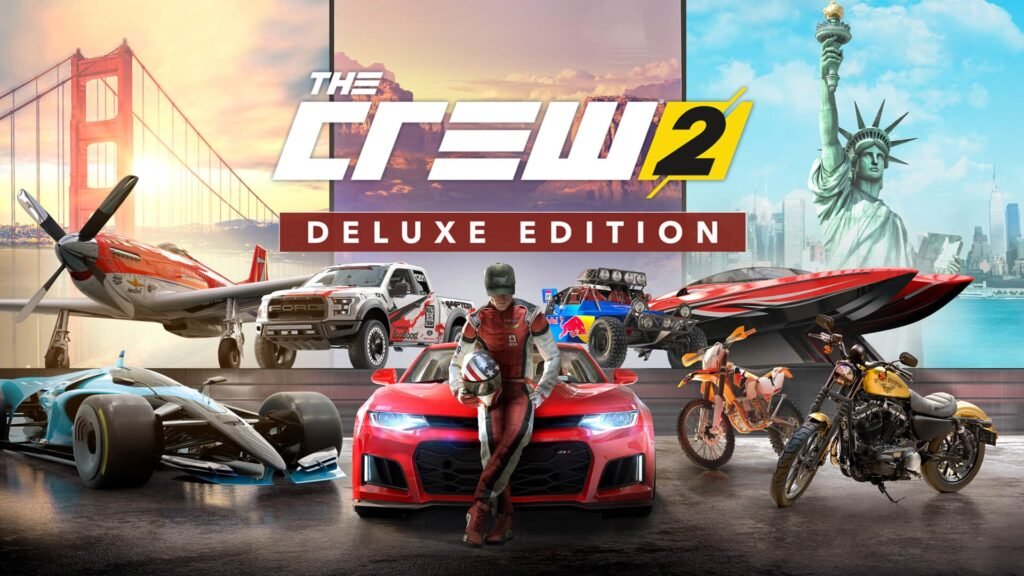
The Crew 2 takes open-world racing to the next level. Set in a fully explorable map of the United States, the game allows players to switch between different types of vehicles — cars, boats, airplanes, and motorcycles — all within a seamless transition. The open-world aspect is one of the most compelling features of The Crew 2, with races, stunts, and challenges scattered across the expansive map.
The game also includes a variety of racing disciplines, such as street racing, off-road, and aeronautical events, ensuring there’s always something new to explore. The Crew 2’s vast world and diverse vehicles make it an excellent choice for anyone looking for a varied and exciting racing game.
7. Burnout Paradise Remastered
The Burnout series has long been a fan favorite, and Burnout Paradise Remastered is no exception. While Burnout Paradise was originally released on previous consoles, the remastered version for PS4 brings all the classic arcade-style racing action back to life with enhanced visuals and smoother gameplay.
In Burnout Paradise, the emphasis is on speed, stunts, and crashes. Whether you’re racing through the streets or launching off ramps, the game encourages you to drive aggressively and crash spectacularly. The remastered edition offers a rich open world to explore, along with online multiplayer modes.
8. Dirt Rally 2.0
Dirt Rally 2.0 is a rally racing game that offers an immersive experience in off-road racing. With stunning visuals, challenging terrain, and a realistic driving physics engine, this game is perfect for players who enjoy the challenge of rally races. Whether you’re navigating treacherous mud tracks or trying to control your car on icy mountain roads, Dirt Rally 2.0 provides an intense and authentic rally experience.
The game features a range of rally cars, each with different handling characteristics, and offers players a variety of racing conditions to test their skills. If you’re a fan of rally racing, Dirt Rally 2.0 is one of the most realistic and thrilling titles available on PS4.
9. Team Sonic Racing
Team Sonic Racing is a fast-paced kart racing game that combines the best of Sonic’s iconic characters with exciting multiplayer gameplay. Unlike other kart racing games, Team Sonic Racing introduces a unique mechanic where players race in teams, working together to take down opponents and score points.
With vibrant visuals and accessible gameplay, Team Sonic Racing is perfect for both casual players and hardcore Sonic fans. The game offers various power-ups, characters, and tracks inspired by the world of Sonic, ensuring there’s plenty of fun to be had.
10. Hot Wheels Unleashed
For a nostalgic trip down memory lane, Hot Wheels Unleashed brings the iconic toy cars to life in a fast and exciting racing game. The game features a range of Hot Wheels cars that can be customized and raced through wild, looping tracks. It’s a fun and accessible game for all ages, with bright, colorful visuals and simple mechanics that make it easy to pick up and play.
Whether you’re racing solo or with friends in multiplayer mode, Hot Wheels Unleashed offers a ton of fun and is a must-play for anyone who grew up with Hot Wheels.
Conclusion
In 2026, the PS4 still offers a variety of thrilling racing games that cater to a wide range of gaming preferences. From ultra-realistic simulators like Gran Turismo 7 and Assetto Corsa Competizione to fun, high-speed arcade action in Need for Speed Heat and Burnout Paradise Remastered, there’s a racing game for every type of player. Whether you’re looking for intense realism, open-world exploration, or just some good old-fashioned arcade racing fun, these PS4 racing games are sure to satisfy your need for speed.
For more gaming tips, reviews, and the latest updates on PS4 racing games, be sure to check out eurogamersonline for all your gaming needs.